 Utkarsh Karale
 Building a Masterpiece Nostalgia Website in 10 Minutes with AI
How I used two carefully crafted AI prompts to generate a beautiful, responsive, glassmorphism-styled nostalgia audio player in under 10 minutes.
Have you ever wondered how fast you can build a premium, fully-functional web application with the right AI prompts?
Recently, I decided to test the limits of AI-assisted development by building Lalpari Nostalgia, a highly nostalgic, premium, glassmorphism-styled Web Audio Player. My goal was to see if I could generate the core masterpiece within 10 minutes, and then manually improve it later.
Check out the live website here: https://lalpari.pages.dev
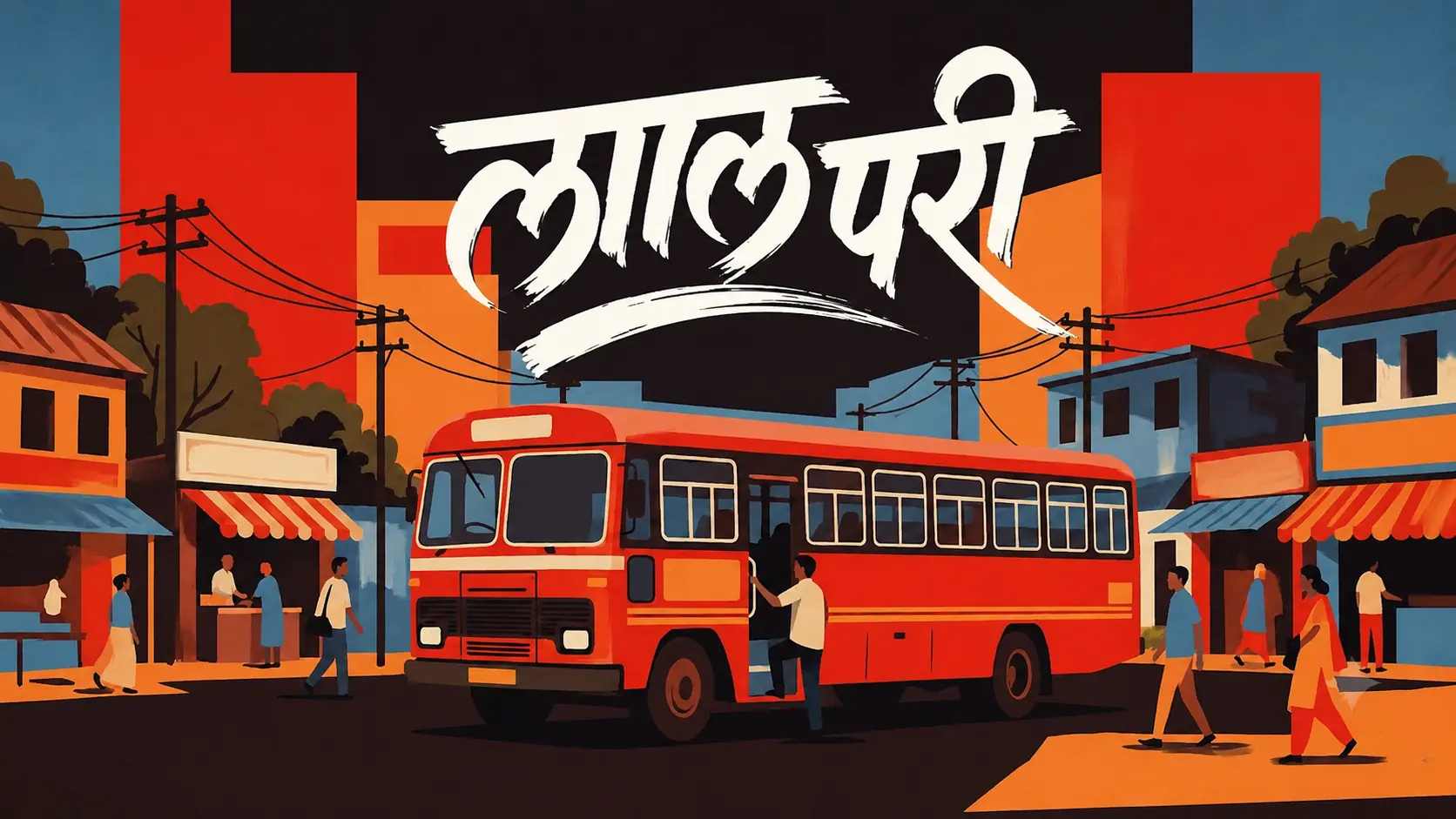
The secret to this rapid development? Two highly detailed, structured prompts.
Below, I am sharing the exact two prompts I used. You can copy them, fill in your own variables (like [APP_THEME]), and generate your own stunning websites!
The Image Generator Prompt
Before writing any code, we need a breathtaking background to set the mood. I used this prompt with an AI image generator (like Midjourney or DALL-E) to create the immersive background for the app.
Create an original, high-quality artwork based on this idea:

**[INSERT YOUR IDEA HERE]**

IMPORTANT:
Create ONLY the final artwork/image.

Do NOT create:

* a website
* UI
* app screen
* dashboard
* buttons
* menus
* browser interface
* device mockup
* presentation
* social media post mockup
* watermark
* unnecessary interface elements

### VISUAL IDENTITY

Create the artwork in a **rich hand-drawn Indian illustrated poster style**, inspired by vintage Indian festival artwork, folk illustration, editorial illustration and old printed cultural posters.

The artwork should have:

* expressive hand-drawn linework
* bold but natural ink outlines
* slightly imperfect illustrated details
* warm textured paper / printed-paper feel
* subtle vintage print texture
* earthy, warm and cohesive colors
* rich oranges, saffron, muted reds, ochre, cream, brown and deep complementary tones
* detailed traditional Indian visual elements where appropriate
* decorative but controlled composition
* illustrated architectural and environmental details
* expressive human characters
* strong foreground, middle-ground and background separation
* a sense of depth created through scale, overlapping elements and perspective
* cinematic composition while remaining clearly illustrated
* nostalgic, cultural and emotionally rich atmosphere

Do NOT make it look like:

* a photograph
* a 3D render
* a modern digital UI illustration
* glossy advertising artwork
* generic AI stock art
* hyper-realistic photography

The final image should feel like a **professionally illustrated vintage Indian cultural poster**, but remain original and contemporary.

### COMPOSITION

Interpret **[INSERT YOUR IDEA HERE]** creatively.

Build a complete environment around the main idea rather than showing an isolated object.

Establish:

1. A clear main subject that immediately communicates the idea.
2. A strong visual hierarchy.
3. A detailed foreground.
4. A meaningful middle-ground containing the main action.
5. A rich background that establishes location and atmosphere.
6. Natural perspective and depth.
7. Balanced framing.
8. Visual storytelling through the environment and characters.

If the idea involves a celebration, event, street, cultural activity or large gathering, create a **large immersive scene with many naturally varied people**, environmental details and background activity.

The crowd should feel alive and organic:

* different poses
* different clothing
* different appearances
* different gestures
* varied scale and positioning
* natural interactions

Avoid duplicated or cloned-looking people.

### CHARACTER DESIGN

When people are relevant to the idea, depict them as expressive hand-drawn characters with:

* natural anatomy
* believable proportions
* varied faces
* varied hairstyles
* varied clothing
* natural poses
* expressive gestures
* culturally appropriate clothing and details

Do not make every person identical.

Characters in the foreground can have stronger detail, while distant characters should become progressively smaller and simpler to create convincing depth.

### ENVIRONMENT

Create an environment that naturally belongs to the idea.

Add meaningful details such as:

* buildings
* streets
* shops
* temples
* homes
* vehicles
* decorations
* trees
* signs
* cultural objects
* atmospheric elements

Only include objects that make sense for the scene.

Do not fill empty areas with random objects.

### LIGHTING & ATMOSPHERE

Use warm, cinematic illustrated lighting.

Create:

* strong highlights
* controlled shadows
* atmospheric depth
* subtle haze where appropriate
* natural light direction
* warm ambient illumination
* convincing contrast

The lighting should support the mood of the idea while maintaining the hand-drawn poster aesthetic.

### COLOR & TEXTURE

Use a cohesive vintage-inspired palette.

Favor warm earthy tones and carefully selected accent colors.

The artwork should have subtle:

* paper grain
* ink texture
* printing imperfections
* faded pigment variations
* illustrated brush textures

These textures should feel intentional and sophisticated, not damaged or low quality.

### TEXT

Do NOT add text, titles, logos, slogans, captions or watermarks unless text is explicitly included in **[INSERT YOUR IDEA HERE]**.

If the idea specifically requires text, integrate it naturally into the artwork using typography that matches the vintage Indian poster aesthetic.

### ART DIRECTION

The final artwork should feel like it was created by a skilled illustrator and art director who carefully composed every part of the scene.

Prioritize:

**storytelling → composition → characters → environment → texture → color → detail**

Do not prioritize photorealism.

Create a visually memorable, culturally rich, highly detailed **landscape artwork in a 16:9 aspect ratio**.

The result should look like a finished professional illustration, not an AI-generated photograph.
The AI Web App Generator Prompt
Once the background image was ready, I used the following prompt with Claude/ChatGPT to generate the entire React (Vite) frontend.
Notice how detailed the instructions are regarding the CSS (glassmorphism), the component structure, and the logic. This level of specificity is what guarantees a “masterpiece” output rather than a basic MVP.
# AI Web App Generator Prompt

**How to use this file:**
Copy the text below the line and paste it into any AI (ChatGPT, Claude, Gemini, etc.). Before sending it, replace the placeholders in brackets (e.g., `[APP_THEME]`) with your own specific theme, images, and links. Provide this prompt to the AI in an empty project or let it generate the full project structure for you.

---

### PROMPT START

You are an elite, expert Frontend Developer with a deep understanding of premium web aesthetics, UI/UX design, and React. Your task is to build a highly nostalgic, premium, glassmorphism-styled Web Audio Player application from scratch using React (Vite).

The application is themed around: **[APP_THEME]**

#### 1. Aesthetics & Design System
This is not a basic MVP. The design must be breathtaking and use modern 2026-era aesthetics:
- **Background**: A fullscreen, immersive, responsive background image (`[BACKGROUND_DESKTOP_URL]` and `[BACKGROUND_MOBILE_URL]`). It should have a slow, infinite drifting animation (`transform: scale` and `translate`) to feel alive.
- **Styling**: Do **NOT** use Tailwind CSS. Write raw, highly optimized Vanilla CSS in `index.css`.
- **Glassmorphism**: The UI components (Header, Player, Queue) must use heavy glassmorphism (`backdrop-filter: blur(22px) saturate(140%)`), translucent borders, and subtle drop shadows.
- **Colors**: Use a refined palette suitable for the theme. Set CSS variables for `--ink`, `--paper`, `--glass`, etc.

#### 2. Project Setup
Initialize a standard Vite + React project. Create the following structure:
- `src/App.jsx` (Main container)
- `src/index.css` (Global styles and animations)
- `src/components/Header.jsx`
- `src/components/MusicPlayer.jsx`
- `src/components/BellButton.jsx`
- `src/components/Playlist.jsx`
- `src/hooks/usePlaylist.js` (Logic to fetch/load mp3s)
- `src/hooks/useResponsiveBackground.js` (Logic to switch desktop/mobile background)

#### 3. Core Components & Logic

**A. App.jsx (The Stage)**
- Render a `.stage` div covering `100vw` and `100dvh` with `overflow: hidden`.
- Include an `<img>` for the background that uses the drifting animation.
- Render the `Header` at the top.
- Render a `.player-row` at the bottom containing the `MusicPlayer` and `BellButton`.
- Manage global audio state (`isPlaying`, `currentIndex`, queue visibility).

**B. Header.jsx (The Top Bar)**
- Placed at the top with a subtle slide-down animation on load.
- Show a live, ticking clock on the left. Apply this specific localization/translation to the clock: **[CLOCK_LOCALIZATION_RULES_EG_DEVANAGARI]**.
- Show a fake "online users" counter in the center with a pulsing green status dot (e.g., "32 online" that randomly fluctuates).
- Include social/action icons on the right (Queue toggle, Spotify link: `[SPOTIFY_URL]`, YouTube link: `[YOUTUBE_URL]`). Use inline SVG icons.

**C. MusicPlayer.jsx (The Glass Capsule)**
- A wide capsule at the bottom.
- **Left side**: Track artwork. When playing, the artwork must spin continuously (`animation: spin 9s linear infinite`). When paused, the spin stops.
- **Center**: Track title, artist name, and a custom seek bar (scrubber). Do not use native `<input type="range">`, build a custom DOM-based progress bar (`.player__track-fill`).
- **Right side**: Transport controls (Previous, Play/Pause toggle, Next). Use high-quality inline SVGs. The play button should be a prominent circle.
- Connect strictly to an HTML5 `<audio>` element ref.

**D. BellButton.jsx (Interactive Sound Element)**
- A distinct, circular button next to the music player.
- When clicked, it plays a specific sound: **[BELL_SOUND_URL]**.
- Implement advanced logic:
  - 1st click: Plays the sound once.
  - 2nd click: Plays a rapid "double ring" overlapping the sound instances slightly.
  - Animate the button with a "shake" or "ring" CSS keyframe animation when clicked.

**E. Playlist.jsx (The Queue)**
- A glassmorphism modal/drawer that slides up from the bottom when toggled.
- Lists all available tracks.
- Highlights the currently playing track.

#### 4. Execution Rules
1. Provide the complete code for `index.css`, making sure all animations (`driftIn`, `pulseDot`, `spin`, `playerIn`, `bellRing`) and media queries are perfectly defined.
2. Provide the complete code for all React components. Use modern React hooks (`useState`, `useEffect`, `useRef`, `useCallback`).
3. Use placeholder tracks (e.g., `.mp3` files loaded dynamically or hardcoded JSON array) so the player is functional immediately.
4. Ensure the UI is fully responsive, condensing the player gracefully on mobile screens.

Please generate the entire codebase step-by-step so I can paste it into my empty Vite project.

### PROMPT END
The Magic of Prompt Engineering
By passing these two prompts, the AI output almost exactly what I needed on the first try. The glassmorphism was beautiful, the animations were smooth, and the component structure was clean.
Of course, the first version is never the final version. Over the next few days, I tweaked the CSS, optimized the WebP imagery, implemented session-based track randomization, and translated the clock into Marathi with Devanagari numerals. But this 10-minute AI head start saved me hours of foundational boilerplate!
Keep Up With My Next Projects!
If you enjoyed this behind-the-scenes look at how I build websites, let’s connect: